
DeltaDunked RpgMakerPlugins
A downloadable Plugin Pack
4 Rpg Maker plugins. They all work for MV and MZ . They are all compatible with or without YEP_CoreEngine and YEP_BattleEngineCore.
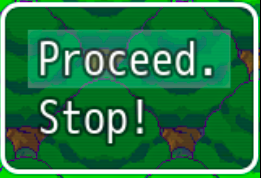
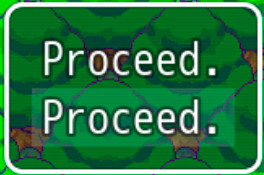
1. Choice Hover Change. Can change the text of an option in a choice while being hovered over. Will make the changed option's branch revert to choice1.
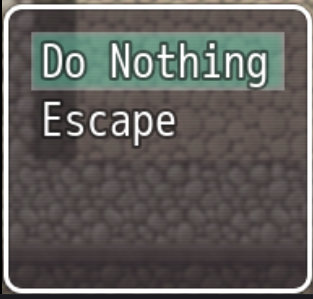
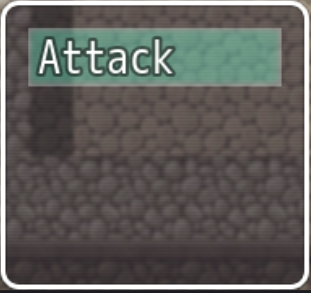
2. Hide Battle Commands. Takes away the Magic, Guard, and Item commands from battle. It only works while a certain switch is on so you can easily turn it off and on throughout the game. Optionally, there is also another switch that makes replaces the Fight command with Do nothing, which skips to the enemy turn.
3. Hit Rate. In a skill's notetag add <hit_mod: X> (X being the decimal you want to add or subtract hit rate. i.e. <hit_mod: -0.15> to take away 15% accuracy.)
4. No Battle Text. Removes the intro and outro text of a battle (Enemy appeared! and Player's Party won!) controlled by a certain switch so you can turn it on and off whenever you want.
All of them can work on Windows and Linux. (I assume Mac, too. They're all pretty simple.)
Terms of use: These may be used for commercial or free games. Give credit to DeltaDunked for these plugins. Add a link to https://deltadunked.itch.io/rpg-maker-plugins. Please do not change the name.
Trees in the background of two of the pictures are from the PixelFantasy Tilesets https://cazwolf.itch.io/pixel-fantasy-tiles-mz property of cazwolf.
Download
Install instructions
Download into your project's js-> Plugins folder. Right click and extract. in rpgmaker, click tools, then plugin manager. Double click an empty slot and then click the plugin you want to use. Read the instructions on the bottom left, then click ok.
Development log
- 1.1 Update Patch Notes4 hours ago
Comments
Log in with itch.io to leave a comment.
If you used and liked my plugins, please consider rating them, and leave a comment if you have any questions! Also, this is my first time uploading any content of any kind. Please give me feedback if the whole page is an eyesore, or if the instructions are unclear, or anything that you think should be changed.